
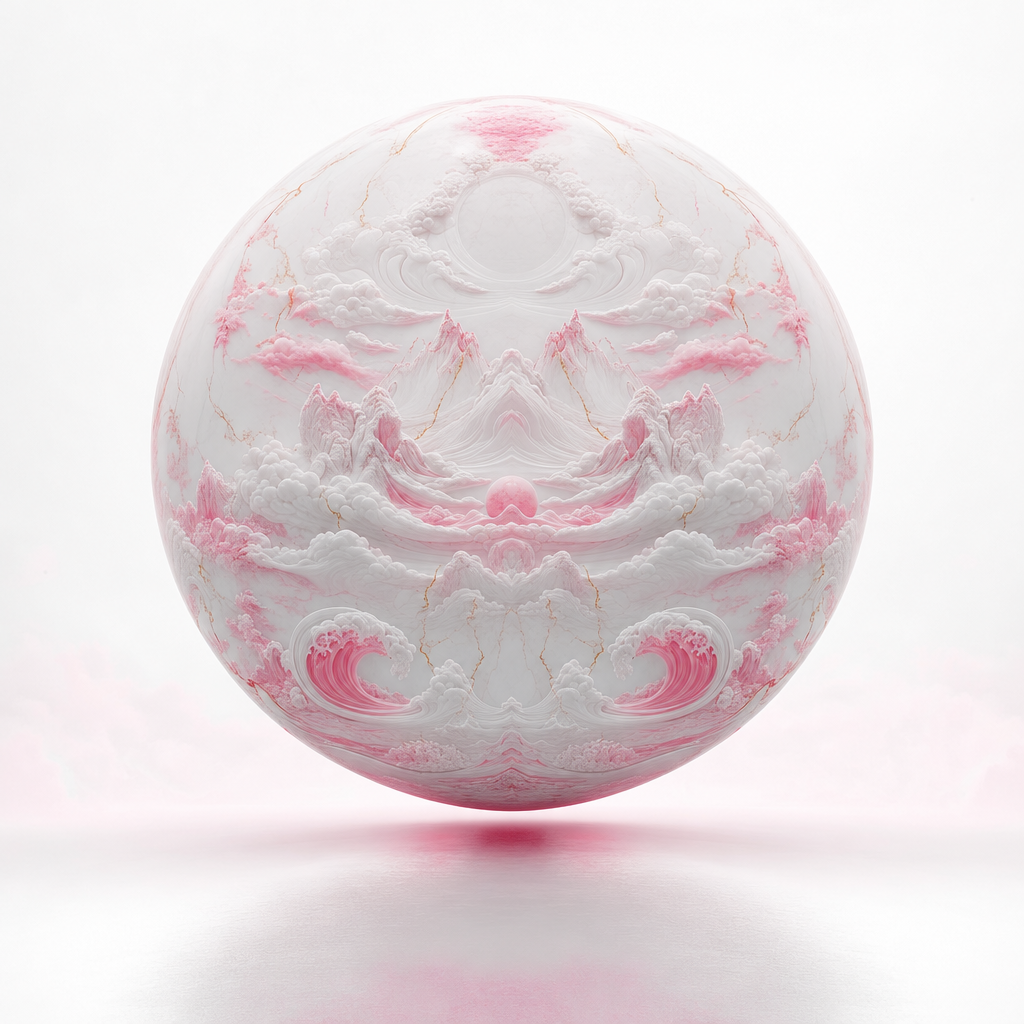
imagine-art-1-5-pro-preview
Advanced text-to-image model creating ultra-high-fidelity 4K visuals with lifelike realism and refined aesthetics.
The image generation market has reached a strange point. There are enough good models that the difference between them is often a matter of emphasis rather than capability. FLUX leans into customization through LoRA weights. Gemini plays the multimodal card with search grounding and editing. Grok opens the content policy gates. Seedream competes on price. Each one has carved out a defensible position, and newcomers have to answer a harder question than "can you generate good images?" The question now is: why should anyone switch?
ImagineArt 1.5 Pro Preview, from Vyro AI, enters with a clear answer: resolution and photorealism. Launched as part of the ImagineArt 1.5 family in November 2025, it's a text-to-image model built specifically for ultra-high-fidelity output, generating natively at 4K and above. The emphasis is on lifelike detail - skin texture, fabric weave, material surfaces, atmospheric lighting - the kind of granular realism that separates images you'd actually use in production from images that look good at thumbnail size and fall apart when you zoom in.
I want to be upfront about two things. First, this is a "Pro Preview," which means it's still being refined. The model is good enough to ship but Vyro is explicitly signaling that improvements are coming. Second, it sits in a middle pricing tier that forces it to compete on quality rather than economics. Whether it delivers enough to justify that position depends on what you're generating and how closely anyone will look at the result.
what vyro ai is actually building
Vyro AI isn't a household name in the way that OpenAI or Google or even Stability AI have become, but they've built more scale than most people realize. Founded in 2019 in Islamabad, Pakistan by Muhammad Abdullah Rafique, Ahmed AbuBakar, and Zain ul Abideen, Vyro has grown to around 277 employees across four continents and accumulated over 150 million downloads and 800,000 daily active users across their product suite. ImagineArt is their flagship image generation product, launched in November 2025 as the 1.5 generation. They offer a range of tiers - 1.5 Fast for speed, the standard 1.5 for balanced output, and 1.5 Pro for maximum fidelity. The Pro Preview available through fal.ai and on inference shell is the top of that stack.
The model's interface is deliberately minimal. You get a text prompt (up to 3,000 characters, which is generous), an aspect ratio selector, a seed for reproducibility, and optional reference image support for guiding style, color palette, or composition. That's it. No guidance scale, no inference step count, no negative prompts, no scheduler selection. If you've spent time tweaking CFG values on FLUX or Stable Diffusion, the stripped-down parameter set will either feel liberating or constraining depending on your temperament. I find it mostly liberating. The number of times I've actually improved a generation by fiddling with technical knobs versus just rewriting the prompt is lower than I'd like to admit.
The aspect ratio support deserves mention because it goes wider than most competitors. Beyond the standard 1:1, 16:9, 9:16, 4:3, and 3:4, the model handles 3:1, 1:3, 3:2, 2:3, and even 21:9 ultrawide. That last one is interesting for cinematic and banner work where you'd normally generate at a standard ratio and crop, losing resolution in the process. Generating natively at 21:9 means you're using the full output resolution across the entire frame.
The maximum resolutions are substantial. A 1:1 output comes in at 4096 by 4096 pixels. A 16:9 frame hits 5120 by 2880. The ultrawide 21:9 stretches to 5760 by 2472. These aren't upscaled outputs - they're native generation resolutions, which means the detail is computed at that scale rather than interpolated from something smaller.
where the realism actually lands
I want to talk honestly about what "ultra-realistic" means in practice, because every image model claims it and the term has been diluted to near-meaninglessness.
ImagineArt 1.5 Pro does produce noticeably detailed output in certain categories. Human subjects are a strength - the model handles skin pores, hair strands, eye reflections, and subtle color gradation in skin tones with a level of precision that most competitors don't match at default settings. Fashion photography prompts, portrait work, and close-up compositions come out with the kind of fine detail that you'd expect from a high-end camera sensor rather than a generative model. Material rendering is similarly strong. Leather, metal, glass, wet surfaces, fabric texture - the model has clearly been trained with an emphasis on getting physical materials right.
Atmospheric rendering is another highlight. Fog, volumetric light, golden hour, overcast diffusion - the model interprets lighting descriptions with a nuance that affects the whole image rather than just slapping a color filter over the scene. When you specify "late afternoon light filtering through curtains," you get the scatter patterns and color temperature shifts that actually happen in that scenario.
Where the model is less impressive is in compositional complexity. Scenes with many distinct elements - five people around a table, a busy street with vehicles and pedestrians and signage - can get spatially confused. Objects overlap incorrectly, scale relationships break down, and the model occasionally generates anatomical errors in peripheral figures that it handles perfectly when they're the central subject. This isn't unique to Imagine Art. It's a common weakness in the current generation of image models. But for a model positioning itself at the top of the quality spectrum, it's worth noting that the realism advantage is strongest in focused compositions rather than complex tableaux.
the text rendering situation
One area where ImagineArt 1.5 Pro has been making claims is text rendering - the ability to generate legible, correctly spelled text within images. This matters enormously for commercial applications like mockups, packaging design, signage, and social media graphics where text is part of the composition.
From what I've seen, the text rendering is improved over previous ImagineArt versions but still inconsistent compared to specialists. Short text elements - a word or two on a sign, a brand name on a product - render cleanly most of the time. Longer text, smaller point sizes, and text that needs to follow specific typographic conventions remain unreliable. If your entire use case depends on perfect text rendering, Qwen Image 2, Reve Image, or Gemini are still safer bets. If text is an occasional element in otherwise photographic compositions, Imagine Art handles it well enough for most purposes.
This is a case where the "Preview" label matters. Text rendering is one of those capabilities that tends to improve significantly between preview and stable releases because it's quantifiable - the text is either correct or it isn't, which makes it easier to benchmark and optimize. I'd expect this to get better.
native 4K generation in practice
Imagine Art 1.5 Pro sits below premium options like Gemini Pro and GPT Image but above budget options like Seedream 4.5 and the standard ImagineArt 1.5. The positioning makes sense given what the model delivers - you're paying a slight premium over budget options for the 4K resolution and photorealistic emphasis, but you're well below the top-tier pricing of Google and OpenAI.
For production workflows where resolution matters - print materials, large-format displays, high-DPI screen assets - generating a 4K image directly is cheaper than generating a lower-resolution image through a more expensive model and then running it through an upscaler. The quality will generally be better too, since native generation preserves coherent detail that upscaling algorithms have to invent.
The single-image-per-request limitation is worth noting. Unlike Grok Imagine which batches up to ten images per call, or Gemini Pro which does four, Imagine Art generates one at a time. For workflows that rely on generating multiple variations and picking the best one, this means more API calls and proportionally more latency. It's a minor friction point but it adds up in exploration-heavy workflows where you're iterating rapidly.
Imagine Art fills a genuine gap between "good enough" budget options and full-featured premium models. Not every image generation task needs search grounding or multi-image editing. Sometimes you just need a single, extremely detailed, realistic image from a text prompt. That's exactly what this model is built for.
the preview question
I keep coming back to the "Pro Preview" label because it genuinely affects how I'd recommend using this model. Preview means the model is still being tuned. Outputs may change between now and the stable release. Consistency - getting similar results from similar prompts across sessions - may not be fully dialed in. Edge cases that a stable model would handle gracefully might produce unexpected results.
For production pipelines where output predictability matters, preview status is a real consideration. If you're building a system that generates product photography at scale and your quality assurance process depends on consistent model behavior, a preview model introduces variance that a stable release wouldn't. You might get a batch of outstanding results on Monday and slightly different characteristics on Wednesday after an update you weren't notified about.
For creative exploration, concepting, mood boards, pitch decks, and single-use assets where each generation is evaluated on its own merits, the preview status matters less. The model is good enough right now to produce usable output. Whether it gets five percent better next month doesn't change today's workflow.
My honest take: use it for tasks where you're evaluating each output individually rather than depending on batch consistency. Treat the preview period as an extended evaluation window. If the results fit your needs now, they'll only get better. If they don't quite get there, check back when the stable release ships.
finding its niche
The image generation landscape is competitive enough now that I think it's useful to be specific about when you'd reach for Imagine Art over alternatives.
Pick Imagine Art 1.5 Pro when you need native 4K photorealistic output from a text prompt, particularly for human subjects, product photography, or material-focused compositions. The reference image support also makes it useful for style-guided generation. It handles these categories with a level of physical detail that justifies the "ultra-high-fidelity" positioning. The wide range of aspect ratios, including ultrawide and tall formats, makes it practical for use cases that other models force you to crop for.
Pick something else when you need multi-image editing workflows (Gemini Pro), custom style adaptation through LoRAs (FLUX Dev), maximum batch generation per request (Grok Imagine), the absolute lowest cost per image (Seedream 4.5), or factual accuracy through search grounding (Gemini with grounding enabled). Imagine Art doesn't try to be any of those things, which is arguably a strength - it does one thing and does it at a high level.
The competitive risk for Vyro is that photorealism is a moving target. Every major model improves realism with each version. What separates Imagine Art today may become table stakes in six months. The question is whether Vyro can continue pushing the fidelity frontier faster than the larger, better-funded labs close the gap. The preview-to-stable pipeline suggests they're actively iterating, which is encouraging. But being the realism specialist in a field where everyone is getting more realistic is a demanding position to hold.
should you try it today
If photorealistic detail is your primary requirement and you're working with prompts that describe focused, visually rich scenes rather than complex multi-element compositions, yes. The 4K native resolution at a competitive mid-range price makes it worth evaluating against whatever you're currently using. The preview status means you should test it on your actual use cases rather than relying on cherry-picked examples, but the core capability is real and the quality floor is high.
For generalists who need one image model that handles everything - editing, text rendering, style variety, compositional complexity - this isn't it. Imagine Art 1.5 Pro is a specialist. It excels at making things look photographically real in high resolution. If that's what you need, it's one of the better options available right now. If you need more versatility, the generalist models will serve you better even if their peak photorealism doesn't quite match.
what types of images does imagine art 1.5 pro generate best?
The model's strongest outputs are focused compositions with an emphasis on physical realism. Portraits, fashion photography, product shots, architectural details, and material-focused scenes consistently produce impressive results. The model excels at rendering human skin, fabric textures, metallic surfaces, and atmospheric lighting with a level of granular detail that holds up at 4K resolution. Complex multi-subject scenes with precise spatial relationships are a weaker point, as are images requiring extensive legible text. For best results, write detailed prompts that describe lighting, materials, and mood rather than relying on the model to infer those qualities from a minimal description.
how does the preview status affect reliability for production use?
The "Pro Preview" designation means the model is still being actively refined by Vyro AI. In practical terms, this means model behavior may shift between sessions as updates are deployed, and edge cases that a stable release would handle predictably might produce inconsistent results. For one-off creative work and evaluation purposes, the preview is fully usable and the output quality is high. For automated pipelines that depend on consistent model behavior across thousands of generations, the preview status introduces a degree of unpredictability. I'd recommend testing thoroughly on your specific use cases and building in quality checks rather than assuming batch-level consistency until the stable release arrives.
is imagine art 1.5 pro worth the extra cost over the standard 1.5 version?
The standard ImagineArt 1.5 generates at up to 2048 by 2048 resolution. The Pro version generates at 4K and above. The modest price premium buys you roughly four times the pixel count and visibly improved detail, especially in fine textures and human features. If your output will be viewed at web resolution or thumbnail size, the standard version is likely sufficient and the cost saving adds up at volume. If the image will be displayed at full size, printed, or used in contexts where someone might zoom in and scrutinize detail, the Pro tier justifies its premium. The resolution difference is not subtle when you compare outputs side by side at full scale.
api reference
about
advanced text-to-image model creating ultra-high-fidelity 4k visuals with lifelike realism and refined aesthetics.
1. calling the api
install the client
the client provides a convenient way to interact with the api.
1pip install inferenceshsetup your api key
set INFERENCE_API_KEY as an environment variable. get your key from settings → api keys.
1export INFERENCE_API_KEY="inf_your_key"run and get result
submit a request and wait for the final result. best for batch processing or when you don't need progress updates.
1from inferencesh import inference23client = inference()456result = client.run({7 "app": "falai/imagine-art-1-5-pro-preview",8 "input": {}9 })1011print(result["output"])stream live updates
get real-time progress updates as the task runs. ideal for showing progress bars, partial results, or long-running tasks.
1from inferencesh import inference23client = inference()456# stream=True yields updates as they arrive7for update in client.run({8 "app": "falai/imagine-art-1-5-pro-preview",9 "input": {}10 }, stream=True):11 if update.get("progress"):12 print(f"progress: {update['progress']}%")13 if update.get("output"):14 print(f"output: {update['output']}")2. authentication
the api uses api keys for authentication. see the authentication docs for detailed setup instructions.
3. files
file inputs are automatically handled by the sdk. you can pass local paths, urls, or base64 data.
automatic upload
the python sdk automatically detects local file paths and uploads them. urls are passed through as-is.
1# local file paths are automatically uploaded2result = client.run({3 "app": "falai/imagine-art-1-5-pro-preview",4 "input": {5 "image": "/path/to/local/image.png", # detected & uploaded6 "audio": "https://example.com/audio.mp3", # url passed through7 }8})4. webhooks
get notified when a task completes by providing a webhook url. when the task reaches a terminal state (completed, failed, or cancelled), a POST request is sent to your url with the task result.
1result = client.run({2 "app": "falai/imagine-art-1-5-pro-preview",3 "input": {},4 "webhook": "https://your-server.com/webhook"5}, wait=False)webhook payload
your endpoint receives a JSON POST with the task result:
1{2 "id": "task_abc123",3 "status": 9,4 "output": { ... },5 "error": "",6 "session_id": null,7 "created_at": "2024-01-15T10:30:00Z",8 "updated_at": "2024-01-15T10:30:05Z"9}5. schema
input
text prompt describing the desired image. be descriptive for best results.
image aspect ratio. choose based on your intended use case.
seed for reproducible generation. leave empty for random results.
ready to run imagine-art-1-5-pro-preview?
we use cookies
we use cookies to ensure you get the best experience on our website. for more information on how we use cookies, please see our cookie policy.
by clicking "accept", you agree to our use of cookies.
learn more.