
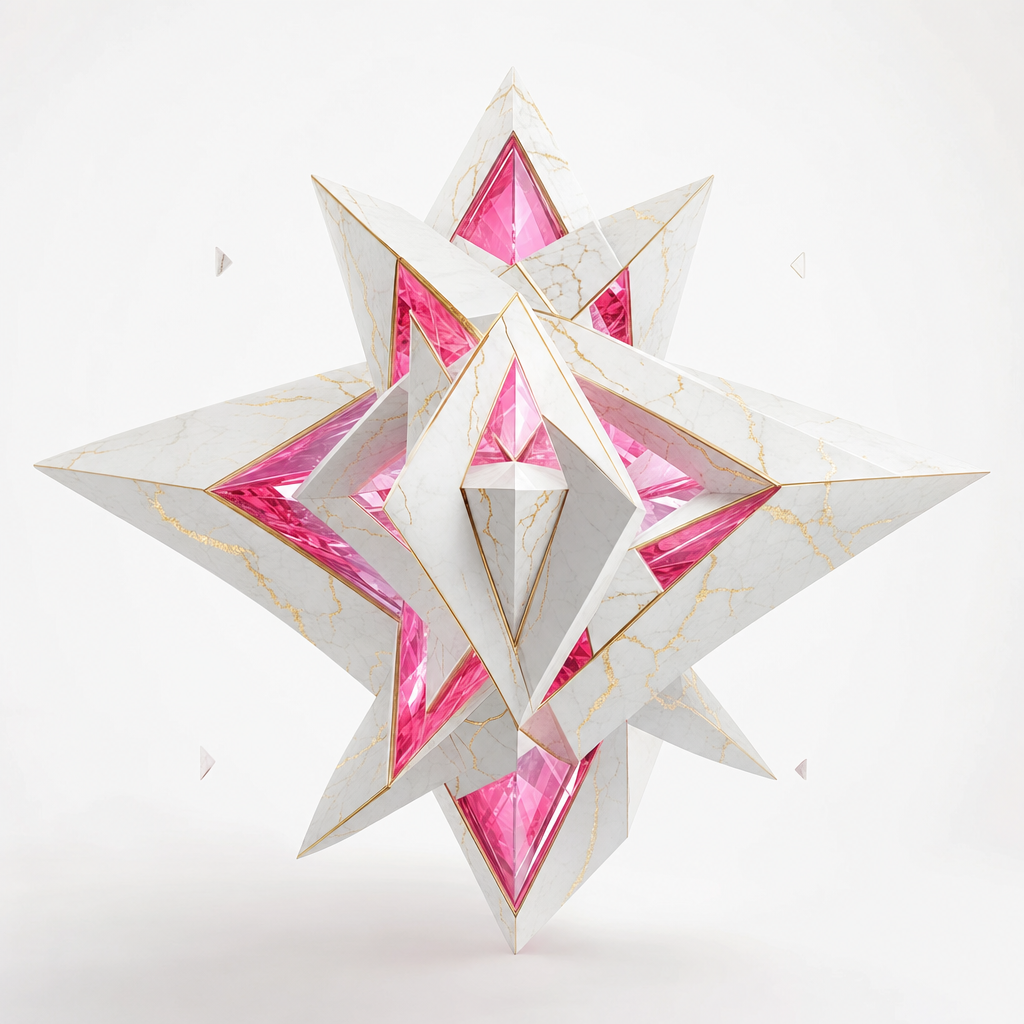
p-image-lora
Pruna's flagship fast text-to-image with custom LoRA style support
There's a particular category of tool that doesn't try to be the best at any one thing but instead covers the entire surface area well enough that you stop reaching for alternatives. Pruna AI - a Munich-based startup founded in 2023 that specializes in making AI models faster, smaller, and cheaper through automatic optimization - built the P-Image family as exactly that kind of tool for image generation. Five apps - text-to-image, image editing, LoRA-styled generation, LoRA-styled editing, and upscaling - that together form a closed loop from initial concept to polished final asset. The pricing is almost absurdly low. At these numbers, experimentation costs nothing and iteration becomes the default mode of working.
I want to be upfront about the tradeoff. P-Image does not produce the same fidelity as Gemini 3 Pro or GPT Image 2. If you put outputs side by side with those premium models at their best, you'll see the difference in fine detail, texture consistency, and compositional sophistication. But for the vast majority of practical use cases - content creation, rapid prototyping, social media assets, placeholder art, product mockups at scale - the quality is genuinely good and the economics are transformative. That changes how you work.
generating images with p-image
The base model, pruna/p-image, handles straightforward text-to-image generation. You give it a prompt, optionally pick an aspect ratio or set custom dimensions (anywhere from 256 to 1440 pixels on each side), and it returns an image. Fast. The speed is one of the things that surprised me early on - Pruna claims sub-second generation times, and in practice it does feel closer to real-time than batch processing. The model also handles text rendering within images with reasonable accuracy, which is unexpected at this price point.
The prompt upsampling feature is worth mentioning because it's genuinely useful rather than a marketing checkbox. Enable it and an LLM rewrites your prompt before generation, adding the kind of descriptive detail that diffusion models respond to. If you write "a cat on a windowsill" the upsampler might expand that into something with lighting direction, time of day, lens characteristics, and material textures. The results are noticeably better for short prompts. For longer, carefully crafted prompts, I tend to leave it off since it can sometimes drift from your intent.
Seeds work as expected - set one for reproducibility, omit it for variation. The aspect ratio presets cover the standard range, or you can specify exact pixel dimensions in multiples of 32.
editing images with natural language
pruna/p-image-edit takes one to five reference images plus a text instruction and produces an edited result. The instruction can be anything from "remove the background" to "make it look like a watercolor painting" to "replace the sky with a dramatic sunset." The model figures out what to preserve and what to change based on your language.
The multi-image input is more interesting than it initially sounds. You can feed it several references and ask it to composite elements, transfer styles between them, or use one image as a spatial guide while applying the aesthetic of another. Five images is the upper limit, which is generous enough for most compositing tasks.
There's a turbo toggle that defaults to on. Leave it on for simple edits - background swaps, color changes, straightforward object removal. Turn it off for complex multi-step transformations where you need the model to spend more time reasoning about the edit. I've found that turbo mode occasionally struggles with instructions that require understanding spatial relationships between multiple elements, but handles single-focus edits cleanly.
The pricing for edits is dramatically cheaper than competing edit-capable models. You can afford to iterate aggressively, trying five or six different phrasings of an edit instruction until you get exactly what you want.
styling with lora presets and custom weights
This is where the P-Image family gets genuinely interesting for creative professionals. pruna/p-image-lora lets you generate images with either preset LoRA styles or your own custom LoRA weights from HuggingFace. The presets cover common aesthetic directions - photorealism, illustration styles, specific artistic movements. But the real power is in bringing your own trained LoRAs.
If you've trained a LoRA on a specific brand aesthetic, product line, character design, or artistic style, you point the model at your HuggingFace repo URL and it applies those learned weights during generation. The lora_scale parameter controls strength from -1 to 3, with 0.5 being the recommended default. Lower values give you a subtle stylistic influence; higher values push the output harder toward the LoRA's learned distribution. Going above 1.5 tends to produce artifacts in my experience, but the sweet spot varies by LoRA.
The practical application here is brand consistency at volume. Train a LoRA on your visual identity, then generate hundreds of on-brand images cheaply. That's a production pipeline that would have cost thousands in designer time or hundreds in API fees with other providers just months ago.
pruna/p-image-edit-lora combines the editing workflow with LoRA styling. Take an existing image, apply an edit instruction, and simultaneously push the result through your custom style. This is particularly powerful for maintaining visual consistency when editing diverse source material - everything comes out looking like it belongs to the same family regardless of what went in.
upscaling as the finishing step
pruna/p-image-upscale is the final stage in the pipeline. Feed it any image and specify a target resolution in megapixels (1 to 8), and it produces an upscaled version with AI-enhanced detail.
Two enhancement toggles control the character of the upscale. "Enhance details" sharpens fine textures - hair strands, fabric weave, text edges, architectural detail. "Enhance realism" pushes the output toward photographic plausibility, which can improve faces and natural scenes but may deviate from the original more than you want for stylized or illustrated content.
The workflow I've settled on is: generate at the model's native resolution (which is fast and cheap), iterate on composition and content until I'm satisfied, then upscale the final pick to production resolution. This avoids the trap of generating at high resolution during the exploratory phase where you're burning time and money on images you'll discard. Generate cheap, upscale once.
Output format options include JPEG, PNG, and WebP, with a quality slider for lossy formats. For web delivery, WebP at quality 85 after upscaling to 2MP hits a good balance of file size and visual fidelity.
prompt tips that actually help
The P-Image models respond well to front-loaded descriptions. Put the most important visual element first in your prompt - "a red ceramic vase on a marble countertop, soft directional lighting from the left, shallow depth of field" works better than burying the subject after a paragraph of atmospheric description.
For the editing models specifically, be imperative and specific. "Change the background to a sunset" outperforms "I'd like the background to be more like a sunset." These models parse instructions, not conversations.
When using LoRA-styled generation, keep your text prompt compatible with the LoRA's training domain. A LoRA trained on anime portraits won't produce great results if you prompt for photorealistic landscapes - the style weights and the text conditioning will fight each other. Match your prompts to your LoRA's strengths.
Prompt upsampling works best as a crutch for short prompts, not a replacement for specificity. If you already know exactly what you want, write it out yourself. The upsampler is most valuable when you have a rough concept but don't want to spend time crafting the perfect diffusion-friendly phrasing.
the economics of cheap generation
The P-Image family's pricing makes certain workflows viable that simply weren't before. A/B testing visual content with statistical significance - where you need dozens or hundreds of variants - becomes trivial. Generating multiple visual options for every piece of written content in a CMS. Producing daily social media assets without a design budget. Building training datasets for computer vision models. The constraint shifts from "can we afford to generate this" to "can we afford the time to review this."
Running the P-Image family through inference shell means you get a unified API surface across all five models, consistent authentication, and the ability to chain them in automated pipelines. Generate, edit, style, and upscale as sequential steps in a single workflow without context-switching between providers.
honest positioning
I keep coming back to the quality question because it's the thing potential users need to hear plainly. P-Image is not the model you choose when visual quality is the primary constraint and budget is secondary. It's the model you choose when volume, speed, and cost are primary constraints and quality needs to be good enough rather than best-in-class.
The sweet spot is production work at scale. Marketing teams generating dozens of visual variants per campaign. Content platforms needing images for every article. Development teams creating placeholder and prototype visuals. E-commerce operations producing product scene variations. Anywhere the alternative to cheap AI generation isn't expensive AI generation but rather no images at all - that's where P-Image earns its keep.
For portfolio pieces, hero imagery, or anything where a single image carries significant weight, I'd still point you toward Gemini 3 Pro, Seedream 4.5, or GPT Image 2. But those models don't address the same problem space. P-Image isn't competing with them on quality - it's competing with the decision to skip image generation entirely because the per-unit economics don't work.
frequently asked questions
what's the difference between p-image and p-image-lora?
The base p-image model generates images from text prompts using its default learned aesthetics. p-image-lora adds the ability to apply custom style weights - either from Pruna's preset collection or from your own LoRA trained on HuggingFace. If you need brand-consistent output or a specific artistic style baked into every generation, use the LoRA variant. If you just want general-purpose text-to-image without style constraints, the base model is simpler and produces solid results across diverse prompt types. Both cost the same per image, so there's no pricing penalty for using LoRA.
can I chain all five models in an automated pipeline?
Yes, and this is arguably the strongest reason to use the P-Image family as a unit rather than mixing providers. Generate a base image, edit it with text instructions, apply a LoRA style for brand consistency, then upscale to production resolution. Each step's output feeds directly into the next step's input. For automated content pipelines producing hundreds of images daily, the cumulative savings against even mid-tier alternatives are substantial.
how does quality compare to flux dev or seedream?
FLUX Dev produces more detailed and compositionally accurate results for complex scenes, particularly those involving multiple subjects with spatial relationships. Seedream 4.5 handles photorealism and human subjects with more consistency. P-Image sits below both in raw output quality but generates significantly faster and cheaper. The gap narrows considerably for simpler compositions - single subjects, product shots, abstract scenes - where P-Image's output is often indistinguishable from pricier alternatives at web resolution. Upscaling with p-image-upscale closes part of the detail gap for final delivery.
api reference
about
pruna's flagship fast text-to-image with custom lora style support
1. calling the api
install the client
the client provides a convenient way to interact with the api.
1pip install inferenceshsetup your api key
set INFERENCE_API_KEY as an environment variable. get your key from settings → api keys.
1export INFERENCE_API_KEY="inf_your_key"run and get result
submit a request and wait for the final result. best for batch processing or when you don't need progress updates.
1from inferencesh import inference23client = inference()456result = client.run({7 "app": "pruna/p-image-lora",8 "input": {}9 })1011print(result["output"])stream live updates
get real-time progress updates as the task runs. ideal for showing progress bars, partial results, or long-running tasks.
1from inferencesh import inference23client = inference()456# stream=True yields updates as they arrive7for update in client.run({8 "app": "pruna/p-image-lora",9 "input": {}10 }, stream=True):11 if update.get("progress"):12 print(f"progress: {update['progress']}%")13 if update.get("output"):14 print(f"output: {update['output']}")2. authentication
the api uses api keys for authentication. see the authentication docs for detailed setup instructions.
3. files
file inputs are automatically handled by the sdk. you can pass local paths, urls, or base64 data.
automatic upload
the python sdk automatically detects local file paths and uploads them. urls are passed through as-is.
1# local file paths are automatically uploaded2result = client.run({3 "app": "pruna/p-image-lora",4 "input": {5 "image": "/path/to/local/image.png", # detected & uploaded6 "audio": "https://example.com/audio.mp3", # url passed through7 }8})4. webhooks
get notified when a task completes by providing a webhook url. when the task reaches a terminal state (completed, failed, or cancelled), a POST request is sent to your url with the task result.
1result = client.run({2 "app": "pruna/p-image-lora",3 "input": {},4 "webhook": "https://your-server.com/webhook"5}, wait=False)webhook payload
your endpoint receives a JSON POST with the task result:
1{2 "id": "task_abc123",3 "status": 9,4 "output": { ... },5 "error": "",6 "session_id": null,7 "created_at": "2024-01-15T10:30:00Z",8 "updated_at": "2024-01-15T10:30:05Z"9}5. schema
input
text description of the image to generate.
pre-trained lora style. leave empty when using lora_url.
custom lora url. format: huggingface.co/owner/repo[/file.safetensors]
lora strength (-1 to 3). 0.5 works well for most.
huggingface api token for private loras.
aspect ratio for the image.
custom width in pixels (256-1440, multiple of 16). only used when aspect_ratio=custom.
custom height in pixels (256-1440, multiple of 16). only used when aspect_ratio=custom.
enhance prompt with llm for better results.
random seed for reproducible generation.
disable safety checker for generated images.
ready to run p-image-lora?
we use cookies
we use cookies to ensure you get the best experience on our website. for more information on how we use cookies, please see our cookie policy.
by clicking "accept", you agree to our use of cookies.
learn more.