
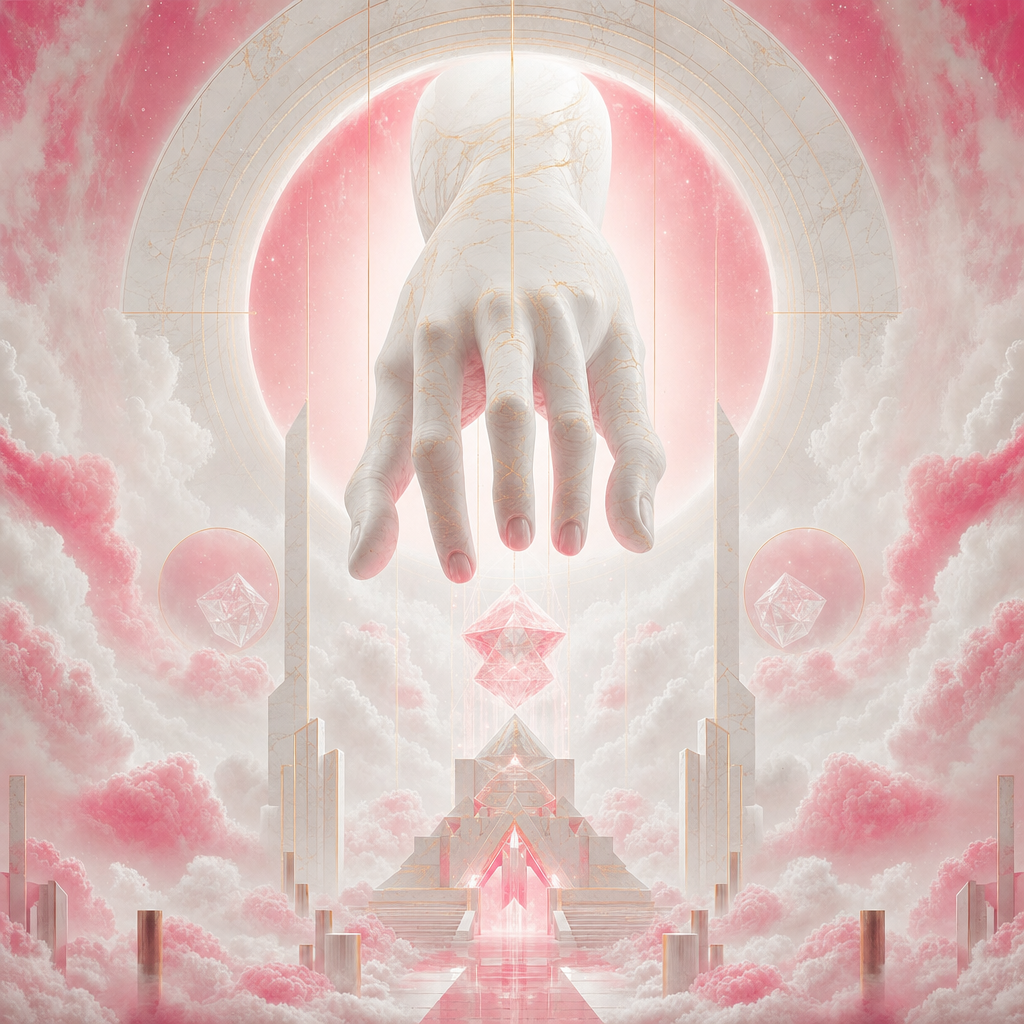
grok-imagine-image-pro
Generate and edit images using xAI's Grok Imagine Pro model. Supports text-to-image and image editing with multiple aspect ratios.
Every image generation model ships with a philosophy baked in. OpenAI's DALL-E leans cautious, Google's Imagen plays it safe, and Midjourney optimizes for aesthetic consistency above all else. Then there's xAI, Elon Musk's AI company, which decided the philosophy should be: just generate the image. Grok Imagine Image Pro - released in February 2026 as the higher-fidelity successor to the standard Grok Imagine Image model - is their flagship image generation model, available through xAI's Aurora engine, and it occupies a genuinely interesting position in the current generation of tools. Not the most polished, not the cheapest, but possibly the most permissive production-grade image generator you can run through an API today.
I've spent enough time with various image generators to know that the differences often matter less than the marketing suggests. But the content policy gap between Grok Imagine and its competitors is real, and for certain creative workflows it's the only thing that matters.
what xAI actually built
Grok Imagine Image Pro comes from the same team behind the Grok language model. The image generation side runs on what xAI calls Aurora, an autoregressive mixture-of-experts transformer trained on billions of examples of interleaved text and image data. Unlike diffusion-based generators, Aurora generates images patch by patch - each part of the image is informed by what came before it, similar to how language models predict the next token. The mixture-of-experts architecture routes different aspects of generation to specialized sub-models, making it efficient across diverse visual styles. xAI stripped the interface down to four parameters: a prompt, an optional input image for editing, an aspect ratio selector, and a count for batch generation (up to 10 images per request).
That minimalism is a deliberate choice, not a limitation. There's no guidance scale to tune, no inference step count to optimize, no scheduler to pick. The model makes those decisions internally. For someone who has spent 20 minutes tweaking CFG values on a FLUX generation only to realize the first output was fine, this approach has real appeal.
The model handles two core workflows. Text-to-image is the obvious one - describe what you want, get images back. Image editing is the second - pass a source image alongside instructions and the model figures out what to change and what to preserve. Style transfers, element swaps, background replacements, and compositional adjustments all work through the same simple interface.
Batch generation at up to 10 images per request is worth calling out because it's the highest batch limit among comparable models on inference shell. When you're exploring a concept and want to see ten different interpretations before committing to a direction, firing one request instead of ten makes the workflow noticeably smoother.
the guardrails question
Here's where things get interesting and where I think xAI made a calculation that will either age well or become a cautionary tale.
Most image generators maintain extensive content policies that go well beyond preventing genuinely harmful outputs. They also block a wide range of creative and editorial content that happens to touch sensitive topics. Try generating protest imagery, war photojournalism aesthetics, or edgy fashion editorial through most APIs and you'll hit refusals fast. Sometimes the refusals make sense. Often they don't, and they become a frustrating barrier for legitimate creative work.
xAI built Grok Imagine with explicitly fewer restrictions. The model will generate content that DALL-E and Imagen refuse, which makes it useful for creative directors, editorial teams, concept artists, and anyone whose work involves themes that trigger overzealous content filters elsewhere. This isn't about generating harmful content - it's about not having a corporate content policy inserted between your creative intent and the output.
The tradeoff is real though. Fewer guardrails means the responsibility shifts to you. If you're building a consumer-facing product on top of this model, you need your own content moderation layer. xAI won't do that work for you the way OpenAI's safety system does by default.
how the output quality stacks up
I want to be honest about where Grok Imagine lands in the quality hierarchy, because the picture is mixed.
For photorealistic scenes with good lighting descriptions, the model produces genuinely strong results. Street photography aesthetics, product shots, portrait-style images, and architectural visualization all come out well. The model has a good sense of natural lighting and handles reflections and material textures competently. When your prompt is specific about the visual language you want - mentioning camera angles, lens characteristics, time of day - the model responds to those cues accurately.
Where it falls short is in complex multi-element compositions. If you're trying to generate a scene with five distinct characters interacting in a detailed environment with specific spatial relationships, Gemini or DALL-E will generally handle that better. Grok Imagine can produce confused layouts when the spatial complexity gets high. Text rendering within images is another weak spot - if you need legible text in your generated images, Qwen Image 2 Pro or Gemini are better picks.
The lack of exposed generation parameters is a double-edged sword for quality. You can't fix a mediocre generation by bumping up inference steps or adjusting the guidance scale. Your only lever is the prompt itself, which means prompt engineering matters more here than with models that give you fine-grained controls. In practice, I've found that being very specific about artistic style, medium, and mood in the prompt compensates for the missing parameters in most cases.
the economics
Grok Imagine sits in the middle of the pricing spectrum - roughly comparable to Qwen Image 2 Pro and cheaper than Gemini 3 Pro. Seedream 4.5 undercuts everyone if cost is your primary constraint.
Input images for editing workflows cost very little, which makes editing pipelines that process hundreds of product photos economically viable. The batch economics work well too - ten images in a single request at maximum batch size keeps the per-request cost reasonable. If your workflow involves generating multiple variations and picking the best one (which is how most production creative workflows actually operate), the savings over running single-image requests through a more expensive model add up over a production month.
where it fits in a real workflow
The honest positioning for Grok Imagine is as a high-volume creative exploration tool with an unusually permissive content policy. It's not the model you pick when you need the absolute highest fidelity output for a single hero image - that's where you'd reach for Gemini or DALL-E with careful parameter tuning. It's the model you pick when you need to rapidly explore ten directions at once, when your content touches topics other models refuse, or when you want a simple integration that doesn't require you to understand diffusion model internals.
The aspect ratio support covers the standard set: 1:1 for social media squares, 16:9 for landscape and video thumbnails, 9:16 for stories and vertical content, 4:3 and 3:4 for photography-standard formats. Nothing surprising there, but having the full range available without workarounds matters for production pipelines that target multiple platforms.
Image editing through Grok Imagine works differently than dedicated editing tools like inpainting pipelines. You're giving natural language instructions rather than painting masks or defining regions. The model interprets what to change based on your text, which works well for holistic transformations (style transfers, mood changes, lighting adjustments) but gives you less precision for surgical edits where you need to modify one specific element while leaving everything else pixel-perfect.
the xAI ecosystem factor
One thing worth noting is that xAI's developer ecosystem is younger than OpenAI's or Google's. The documentation is thinner, community resources are fewer, and the tooling around the model is less mature. If you're building a production system and you need extensive reference implementations, community plugins, or battle-tested integration patterns, you'll find more of that around DALL-E or Stable Diffusion.
That said, the simplicity of Grok Imagine's interface partially compensates for the ecosystem gap. There are only four parameters to understand. The integration surface area is tiny compared to models with dozens of configuration options. You can be productive with it in minutes rather than hours, which matters when you're evaluating tools and don't want to invest a day learning a new model's quirks before you can assess whether it actually fits your use case.
The model's future trajectory is also tied to xAI's broader strategy, which remains somewhat unpredictable. They've shown a willingness to iterate fast and take positions that differ from the industry consensus (the content policy being the obvious example). Whether that translates into sustained improvement of the image generation capabilities or whether resources get redirected to other priorities is anyone's guess.
choosing between generators
The image generation space has enough options now that the choice usually comes down to two or three specific requirements rather than overall quality rankings. If you need text rendering in images, Grok Imagine isn't your first pick. If you need the lowest possible cost per image, Seedream 4.5 wins. If you need 4K resolution and multi-reference editing, Gemini 3 Pro is the answer. If you need custom style adaptation through LoRA weights, FLUX Dev LoRA is purpose-built for that.
Grok Imagine earns its place when the requirements include some combination of: high batch counts, simple integration, permissive content generation, and reasonable per-image pricing. That combination describes more real-world creative workflows than you might expect, particularly in advertising, editorial, entertainment, and concept art spaces where the content policy restrictions of other models create genuine workflow blockers.
The model won't win any benchmarks for technical sophistication. It won't produce the most impressive single image in a side-by-side comparison. But it will reliably generate what you ask for, in quantities that support real exploration, at a price that doesn't punish experimentation, without telling you that your creative vision violates its content policy. For a lot of practitioners, that's exactly the tool they've been waiting for.
how does grok imagine's image quality compare to DALL-E or Midjourney?
For straightforward photorealistic scenes, Grok Imagine produces competitive results. It handles lighting, materials, and natural compositions well. Where it falls behind is in complex multi-element scenes with precise spatial relationships and in text rendering within images. DALL-E generally handles compositional complexity better, and Midjourney tends to produce more aesthetically refined outputs by default. The gap narrows significantly when you're generating at volume and picking the best from a batch rather than optimizing a single image.
can I control generation style without guidance scale or step parameters?
All style control happens through your prompt text. The model responds well to specific artistic direction - mention the medium (oil painting, digital illustration, photography), reference lighting conditions (golden hour, overcast, studio), specify camera characteristics (wide angle, macro, shallow depth of field), and describe the mood you want. Detailed prompts consistently produce more controlled results than vague ones. The absence of technical parameters means prompt craft is your primary skill lever with this model.
is grok imagine suitable for production applications with end users?
It can be, but you need to account for the model's permissive content policy. Unlike DALL-E, which has built-in safety filtering that prevents certain outputs from reaching your users, Grok Imagine will generate a wider range of content. If you're building a consumer product, you should implement your own content moderation layer between the model and your users. For internal tools, creative teams, and B2B applications where the users are professionals making deliberate creative choices, the permissive policy is typically an advantage rather than a risk.
api reference
about
generate and edit images using xai's grok imagine pro model. supports text-to-image and image editing with multiple aspect ratios.
1. calling the api
install the client
the client provides a convenient way to interact with the api.
1pip install inferenceshsetup your api key
set INFERENCE_API_KEY as an environment variable. get your key from settings → api keys.
1export INFERENCE_API_KEY="inf_your_key"run and get result
submit a request and wait for the final result. best for batch processing or when you don't need progress updates.
1from inferencesh import inference23client = inference()456result = client.run({7 "app": "xai/grok-imagine-image-pro",8 "input": {}9 })1011print(result["output"])stream live updates
get real-time progress updates as the task runs. ideal for showing progress bars, partial results, or long-running tasks.
1from inferencesh import inference23client = inference()456# stream=True yields updates as they arrive7for update in client.run({8 "app": "xai/grok-imagine-image-pro",9 "input": {}10 }, stream=True):11 if update.get("progress"):12 print(f"progress: {update['progress']}%")13 if update.get("output"):14 print(f"output: {update['output']}")2. authentication
the api uses api keys for authentication. see the authentication docs for detailed setup instructions.
3. files
file inputs are automatically handled by the sdk. you can pass local paths, urls, or base64 data.
automatic upload
the python sdk automatically detects local file paths and uploads them. urls are passed through as-is.
1# local file paths are automatically uploaded2result = client.run({3 "app": "xai/grok-imagine-image-pro",4 "input": {5 "image": "/path/to/local/image.png", # detected & uploaded6 "audio": "https://example.com/audio.mp3", # url passed through7 }8})4. webhooks
get notified when a task completes by providing a webhook url. when the task reaches a terminal state (completed, failed, or cancelled), a POST request is sent to your url with the task result.
1result = client.run({2 "app": "xai/grok-imagine-image-pro",3 "input": {},4 "webhook": "https://your-server.com/webhook"5}, wait=False)webhook payload
your endpoint receives a JSON POST with the task result:
1{2 "id": "task_abc123",3 "status": 9,4 "output": { ... },5 "error": "",6 "session_id": null,7 "created_at": "2024-01-15T10:30:00Z",8 "updated_at": "2024-01-15T10:30:05Z"9}5. schema
input
text prompt describing the desired image content.
optional input image for image editing. when provided, the model will edit this image based on the prompt.
aspect ratio of the generated image. use 'auto' to automatically match the input image's aspect ratio.
number of images to generate (1-10).
ready to run grok-imagine-image-pro?
we use cookies
we use cookies to ensure you get the best experience on our website. for more information on how we use cookies, please see our cookie policy.
by clicking "accept", you agree to our use of cookies.
learn more.