
AI agents are increasingly powerful, but they often lack the context and procedural knowledge to do real work reliably. Anthropic recognized this gap and introduced Agent Skills - a simple, open format for giving agents new capabilities through organized folders of instructions, scripts, and resources. What started as a feature in Claude Code has grown into an industry-wide standard adopted by OpenAI, Cursor, GitHub Copilot, and dozens of other agent platforms.
Skills solve a fundamental problem. Building a custom agent for every use case is expensive and fragile. Instead, skills let anyone package expertise into composable resources that agents can discover and load dynamically. Think of it like putting together an onboarding guide for a new hire - except the new hire is an AI agent that can read and follow instructions instantly.
How Skills Work
At their simplest, a skill is a directory containing a SKILL.md file. This file starts with YAML frontmatter containing metadata - a name and description that the agent pre-loads into its system prompt at startup. The metadata is the first level of progressive disclosure, providing just enough information for the agent to know when each skill should be used.
When the agent determines a skill is relevant to the current task, it reads the full SKILL.md content into context. This is the second level of detail. For complex skills that contain too much context for a single file, authors can bundle additional files within the skill directory and reference them from the main SKILL.md. These linked files form the third level and beyond, which the agent navigates and discovers only as needed.
Progressive disclosure is the core design principle that makes skills flexible and scalable. Like a well-organized manual that starts with a table of contents, then specific chapters, and finally detailed appendices, skills let agents load information only when necessary. This means the amount of context bundled into a skill is effectively unbounded - the agent does not need to read everything upfront.

Skills can also include executable code. Large language models excel at many tasks, but certain operations are better suited for traditional code execution. Sorting a list via token generation is far more expensive than running a sorting algorithm. A skill might include a Python script that extracts form fields from a PDF or processes an image in a specific way. The agent can run this script directly without loading it into context, and because code is deterministic, the workflow is consistent and repeatable.
The Skills Ecosystem
The Agent Skills format was developed by Anthropic and released as an open standard in late 2025. The specification lives on GitHub at github.com/agentskills/agentskills, and the growing ecosystem has spawned several discovery and distribution platforms.
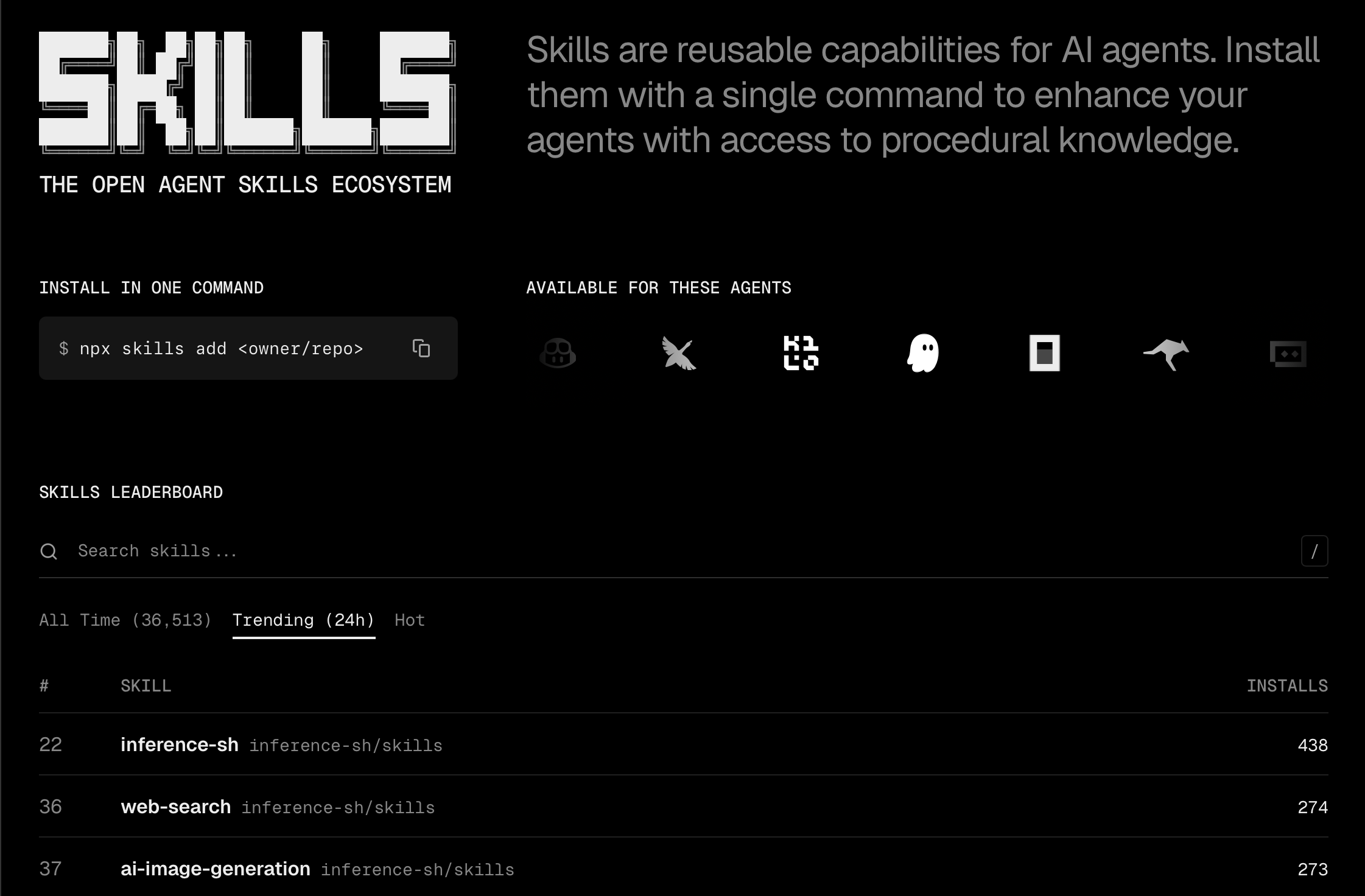
skills.sh serves as the primary distribution hub. Installing a skill is a single command:
1npx skills add <owner/repo>The platform maintains a leaderboard of popular skills and supports installation across every major agent platform. At last count, skills.sh lists compatibility with Claude Code, Cursor, GitHub Copilot, Goose, Codex CLI, Windsurf, Gemini CLI, Roo Code, Trae, and many others.
agentskills.io provides comprehensive documentation for the specification. Their documentation index at agentskills.io/llms.txt serves as a discovery mechanism for available pages, and the site covers everything from what skills are to how platforms can integrate skill support.
The adoption curve has been remarkable. Within two months of Anthropic publishing the open standard, OpenAI quietly added skills support to both ChatGPT and their Codex CLI tool. Simon Willison documented this discovery in December 2025, noting that ChatGPT's code interpreter environment now includes a /home/oai/skills folder with built-in skills for PDFs, documents, and spreadsheets. The Codex CLI accepts skills through the --enable skills flag and reads from ~/.codex/skills.
This cross-platform compatibility is exactly what makes skills valuable. Authors build capabilities once and deploy them across every compatible agent product. Teams capture organizational knowledge in portable, version-controlled packages that work regardless of which AI assistant their members prefer.
Compatible Agent Platforms
The list of skills-compatible platforms continues to grow. Major players include Anthropic's Claude Code and Claude.ai, OpenAI's ChatGPT and Codex CLI, Cursor, GitHub Copilot in VS Code, Goose from Block, Google's Gemini CLI, Roo Code, Trae, Windsurf, Amp, Factory, and many more emerging tools.
Each platform implements skills slightly differently but follows the same core specification. The SKILL.md format is universal. The metadata format is universal. The progressive disclosure pattern is universal. This consistency means skill authors do not need to target specific platforms - a well-designed skill works everywhere.
Platform-specific differences mainly concern where skills are stored and how they are triggered. Claude Code looks in ~/.claude/skills by default. Codex CLI uses ~/.codex/skills with an enable flag. Cursor reads from project-level directories. The installation tooling like npx skills handles these differences automatically.
What Skills Enable
The practical applications of skills span every domain where agents operate.
Domain expertise packages specialized knowledge into reusable instructions. Legal review processes, data analysis pipelines, medical coding guidelines, financial compliance checks - any procedural knowledge that experts use can be captured in a skill. The agent loads this expertise on demand and applies it consistently.
New capabilities extend what agents can do beyond their base training. Creating presentations, manipulating PDFs, generating specific file formats, interacting with specialized APIs - skills add abilities that agents would otherwise lack or perform poorly.
Repeatable workflows turn multi-step tasks into consistent and auditable processes. A deployment skill might enforce code review, run tests, check for secrets, build artifacts, and deploy to staging in a specific order. Every execution follows the same steps.
Organizational context captures how your team or company does things. Coding conventions, documentation standards, review processes, communication templates - these organizational patterns become portable and shareable through skills.
inference shell Skills
Among the most comprehensive skill collections available is the inference shell skills repository. It provides AI agents with access to over 150 cloud AI apps - image generation, video creation, language models, web search, speech processing, and more - through a consistent CLI interface.
The inference shell skills work by teaching agents how to use the infsh CLI tool. When an agent needs to generate an image, create a video, transcribe audio, or search the web, it loads the relevant skill and follows the documented patterns. Each skill includes the command syntax, available models, example usage, and common workflows.
Installing the full platform skill takes one command:
1npx skills add inference-sh/skills@inference-shThis gives agents access to everything - FLUX and Gemini image generation, Google Veo video creation, Claude and GPT models via OpenRouter, Tavily and Exa web search, Whisper transcription, text-to-speech, Twitter automation, and dozens more. Specialized skills are also available for specific capabilities like ai-image-generation, ai-video-generation, llm-models, or web-search.
The skills follow the progressive disclosure pattern. The core SKILL.md contains the essential information an agent needs to run common tasks. Reference files cover authentication, app discovery, CLI reference, and advanced workflows. Agents load only what they need for the task at hand.
Building Your Own Skills
Creating a skill requires no special tools - just a directory with a SKILL.md file. The frontmatter needs a name and description at minimum:
1---2name: my-skill3description: |4 What this skill does and when agents should use it.5 Include keywords that help agents match the skill to relevant tasks.6---78# My Skill910Instructions, context, and examples go here.The description is critical because agents use it to decide whether to load the skill. Good descriptions include the domain, the capabilities provided, and trigger phrases that might appear in user requests.
Structure matters for larger skills. Keep the core SKILL.md focused on the most common use cases. Move specialized information to separate files and reference them. If certain contexts are mutually exclusive or rarely used together, keeping them in separate files reduces token usage when the agent loads the skill.
Code can serve as both executable tools and documentation. Make it clear whether agents should run scripts directly or read them as reference. Test your skills iteratively - run agents on representative tasks, observe where they struggle, and add context to address the gaps.
Security Considerations
Skills provide agents with new capabilities through instructions and code. This power means malicious skills can introduce vulnerabilities or direct agents to take unintended actions. Install skills only from trusted sources. When evaluating a skill from a less-trusted source, read the contents thoroughly before use.
Pay attention to code dependencies, bundled resources like images or scripts, and any instructions that direct agents to connect to external network sources. Skills that request broad permissions or include obfuscated code warrant extra scrutiny.
The community maintains trust through transparency - skills are just folders of text files that anyone can inspect. The open format makes auditing straightforward compared to compiled plugins or binary extensions.
The Future of Agent Capabilities
Skills represent a shift in how we think about agent development. Rather than building monolithic agents with hard-coded capabilities, the industry is moving toward composable agents that assemble their abilities from portable skill packages. An agent can start minimal and acquire expertise as needed.
The specification continues to evolve through community contribution. The open development model at github.com/agentskills/agentskills welcomes input from platform vendors, skill authors, and users. As more platforms adopt the standard and more skills become available, the network effects strengthen the ecosystem.
For teams building agents, skills offer a path to capability extension without custom development. For individuals, skills provide a way to customize AI assistants for specific workflows. For organizations, skills enable knowledge capture and sharing across teams. The simplicity of the format - just folders and markdown files - makes getting started straightforward.
Browse available skills at skills.sh, explore the specification at agentskills.io, or check out the inference shell skills repository for immediate access to hundreds of AI capabilities. The agent skills ecosystem is growing rapidly, and the best time to start building and using skills is now.
FAQ
How do I know which skills are installed in my agent?
Most agent platforms provide a way to list installed skills. In Claude Code, skills in ~/.claude/skills are automatically detected. In Codex CLI, run with --enable skills and the agent can list what it finds. Many agents also respond to prompts like "list your skills" or "what skills do you have available" by reading from their skills directories. You can also manually inspect the skills folder for your platform - skills.sh documentation covers the default locations for each supported agent.
Can skills conflict with each other or override base agent behavior?
Skills extend rather than replace agent capabilities. When multiple skills could apply to a task, the agent typically chooses based on description matching and may load multiple skills if needed. Conflicts are rare because skills are additive - they provide new context rather than modifying core behavior. If you experience unexpected behavior, check whether multiple skills provide overlapping instructions. The solution is usually consolidating related functionality into a single skill or making descriptions more specific so agents make clearer choices.
What is the difference between skills and MCP servers?
Model Context Protocol servers provide real-time tool access through a running server process. Skills provide static context and instructions through files. They complement rather than compete. An agent might use an MCP server to access a live database while using skills for instructions on how to query that database effectively. Skills excel at procedural knowledge and organizational context. MCP servers excel at dynamic data access and real-time integrations. Many sophisticated agents use both - skills for the knowledge of how to do things, MCP servers for the live connections to do them.